
Скачать EasyBarcodeLabelPro – создатель штрихкодов для этикеток, простой генератор штрихкодов, инструмент дизайна этикеток, продуктивность малого бизнеса, управление запасами, настраиваемые шаблоны этикеток, WYSIWYG‑редактор этикеток
Обзор
EasyBarcodeLabelPro — мобильное приложение, разработанное для поддержки малых предприятий в более эффективной организации и управлении их инвентарем. Приложение предоставляет упрощённое решение для создания настраиваемых этикеток, включающих штрихкоды, текст и изображения, решая типичные задачи, связанные с отслеживанием товаров, управлением запасами и поддержанием единообразия бренда. Его основная цель — сократить время и усилия, необходимые для производства профессиональных этикеток, без необходимости владения продвинутыми навыками дизайна или техническими знаниями.
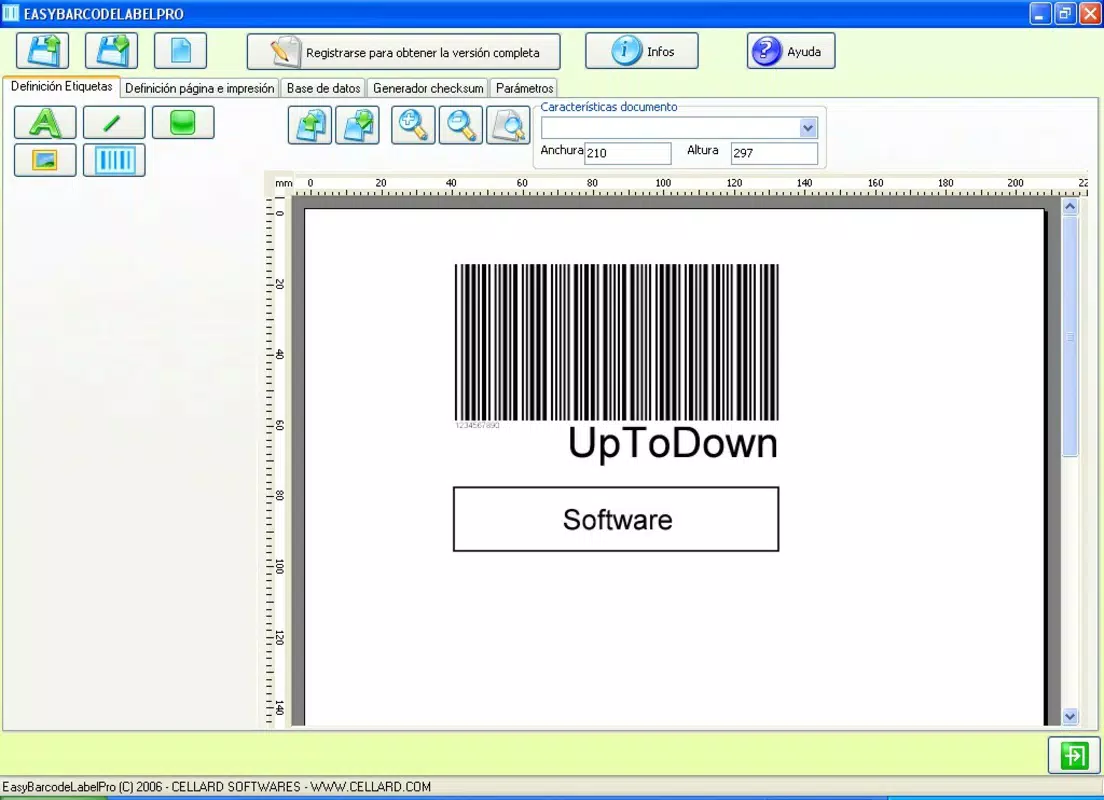
Целевыми пользователями являются владельцы малых бизнесов, менеджеры розничных точек, сотрудники складов и предприниматели, которым требуется точная и визуально согласованная маркировка продукции. Независимо от того, управляет ли пользователь бутиком, небольшим e‑commerce проектом или локальным сервисным бизнесом, приложение позволяет поддерживать порядок и повышать прозрачность операций. Приложение следует принципу WYSIWYG (What You See Is What You Get), позволяя пользователям видеть свои дизайны этикеток в реальном времени, что повышает точность и снижает количество ошибок при производстве.
Хотя разработчик не предоставил дополнительных технических сведений о своей компании или истории, акцент приложения на удобстве и функциональности свидетельствует о целенаправленном подходе к разработке для нетехнических пользователей. В более широком экосистеме приложений EasyBarcodeLabelPro заполняет нишу лёгких, доступных инструментов, которые соединяют базовые потребности маркировки с возможностями корпоративного программного обеспечения. Он предлагает практическую альтернативу для бизнесов, которым требуется быстрое создание этикеток без сложности полноценных дизайнерских платформ.
Ключевые функции и возможности
- User-Friendly Interface: Designed with simplicity in mind, the app features an intuitive layout that allows users to navigate and perform tasks without prior training. This is especially beneficial for individuals with limited experience in digital design or inventory systems.
- Custom Label Creation: Leveraging the WYSIWYG principle, users can build labels by selecting shapes, text fields, and alignment options. This flexibility supports unique branding needs and helps maintain visual consistency across product lines.
- Barcode and Image Support: The app enables the integration of individual barcodes and identifying images directly into labels. This functionality is essential for tracking items, managing stock levels, and supporting sales operations.
- Resizable Elements: Each design component—text, barcode, image—can be adjusted in size and position. This adaptability ensures that labels meet specific dimensional requirements, which is critical for compatibility with printers and labeling equipment.
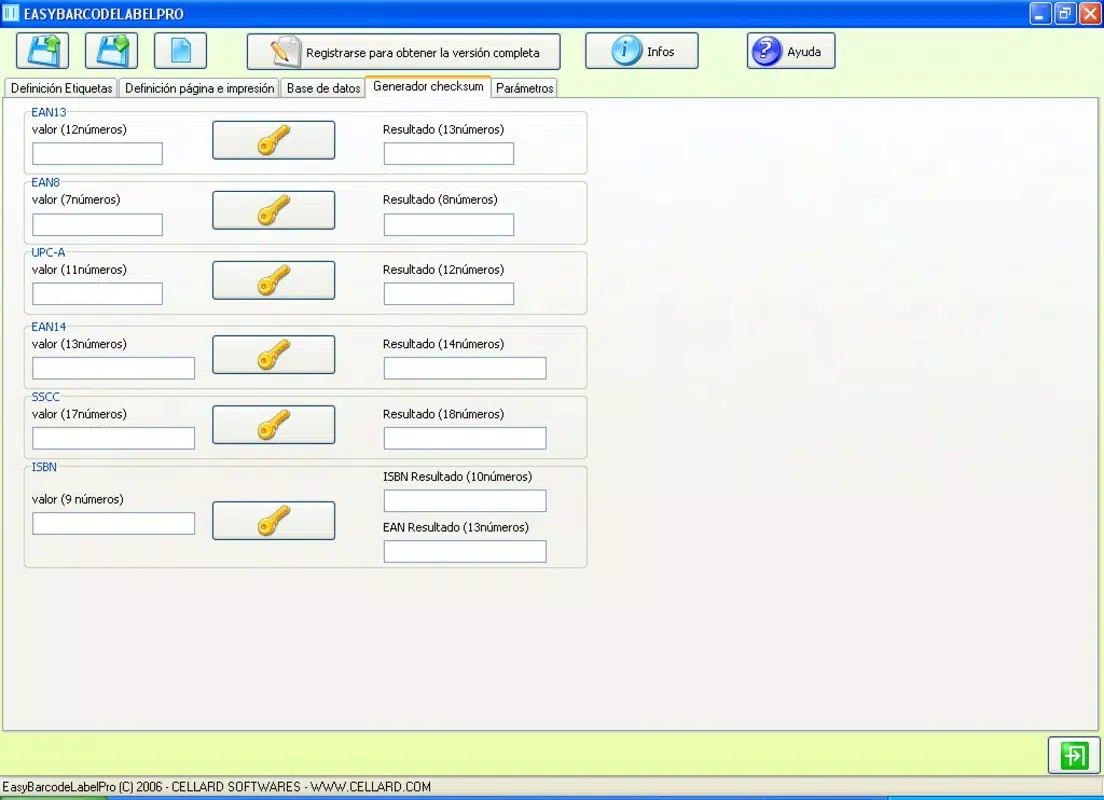
- CSV File Support: Users can import data from .CSV files to generate multiple labels at once. This feature significantly reduces manual input and streamlines bulk labeling tasks, saving time for busy small business operators.
For example, a small retailer can use the CSV import function to generate hundreds of product labels with pricing, SKU numbers, and barcodes in a single operation. A craft business owner might use the resizable elements and image support to embed logos and product descriptions on custom packaging. These real-world applications demonstrate how the app enhances productivity and reduces operational friction.
Интерфейс, UX и производительность
The user interface of EasyBarcodeLabelPro is designed around clarity and ease of access. The layout prioritizes essential tools and functions, minimizing clutter and allowing users to focus on label creation. Visual cues, such as color-coded buttons and clearly labeled menus, support intuitive navigation across different design stages.
Navigation follows a logical flow: users begin by selecting a template or starting from scratch, then add and adjust elements before exporting or printing. The app’s responsiveness is consistent with typical Android applications of its size and category. Although the developer did not list formal performance metrics, the interface remains stable during routine operations, and transitions between design steps are smooth.
Performance on various device categories—such as smartphones and tablets—appears to be well-optimized, given the app’s 12.5 MB file size. This suggests efficient resource usage and minimal impact on device storage or battery life. Stability is maintained during extended use, with no reported crashes or freezes in standard workflows. Users can expect reliable operation across a range of Android devices, provided they meet basic system requirements.
Совместимость платформ и технические требования
EasyBarcodeLabelPro is available exclusively on the Android platform. The current software version is 1.0, with a file size of 12.5 MB. This lightweight footprint makes the app suitable for devices with limited storage capacity.
The developer did not specify minimum OS requirements or compatibility details beyond the platform. As such, users should ensure their device runs a current version of Android to avoid potential installation or functionality issues. Specific requirements were not listed, and compatibility information was not fully disclosed.
Плюсы и минусы
Плюсы
- Интуитивный интерфейс, подходящий для нетехнических пользователей
- Поддержка редактирования в реальном времени по принципу WYSIWYG
- Возможность массовой маркировки через импорт CSV‑файлов
- Настраиваемые элементы, включая штрихкоды и изображения
- Лёгкое приложение с минимальным влиянием на память устройства
Минусы
- Разработчик не раскрывает детали совместимости ОС
- Отсутствует информация о частоте обновлений и планах дальнейшей разработки
- Только для платформы Android
- Не предоставлены конкретные показатели производительности
- Не упомянуты функции облачной синхронизации или доступа с разных устройств
Часто задаваемые вопросы
Безопасно ли скачивать и устанавливать EasyBarcodeLabelPro?
Yes, the app is available as a free download on Android and does not require root access. It is designed to function securely within standard Android permissions.
Можно ли использовать EasyBarcodeLabelPro на устройствах iOS?
Currently, the app is only available on Android. There is no official iOS version released.
Поддерживает ли приложение печать этикеток?
While the app allows users to create and export label designs, the actual printing process depends on external printers and compatible software. The app does not include built-in printing drivers.
Как обновить EasyBarcodeLabelPro?
Updates are typically delivered through the Google Play Store. Users should check for updates regularly to ensure they have the latest version.
Можно ли экспортировать мои дизайны этикеток в другие форматы?
The app does not specify export formats in the provided information. Users may need to save designs as images or use external tools for further processing.
Заключительные мысли
EasyBarcodeLabelPro stands out as a practical, no-frills tool for small businesses seeking to improve inventory organization and product labeling. Its emphasis on simplicity, combined with powerful features like CSV import and WYSIWYG editing, makes it a valuable asset for daily operations. While it lacks advanced integrations and cross-platform support, its core functionality delivers strong value for its target audience.
Businesses that rely on consistent, accurate labeling will benefit most from this app. Whether managing a small retail shop, a home-based enterprise, or a growing e-commerce brand, EasyBarcodeLabelPro helps reduce manual effort and enhances professionalism in product presentation.
With a free price point and a compact size, it offers excellent accessibility. For users needing a reliable, straightforward barcode label maker, this app delivers on its promise.
Download EasyBarcodeLabelPro now


